











The Sokabet app is a mobile betting client for Android phones used across Tanzania, from mid-range handsets on 3G in smaller towns to newer devices on stable 4G in Dar es Salaam. It brings the sportsbook, account balance and bet history together under one home-screen icon, so you do not need to enter a web address every time.

This page explains where the installation file comes from, how to put it on an Android device, what iPhone owners can do instead, and which security habits are worth keeping. If you have never installed an application outside a store, the process is short and reversible: the app can be removed from the phone whenever you choose.
What the Sokabet Application Is
The application is a packaged version of the sportsbook. Match lists, odds, coupon and cashier screens are arranged for a touch screen rather than a desktop cursor, so markets are grouped into tabs and the bet slip remains reachable with one thumb. The core account is the same one used in a browser: one set of login details, one balance and one bet history.
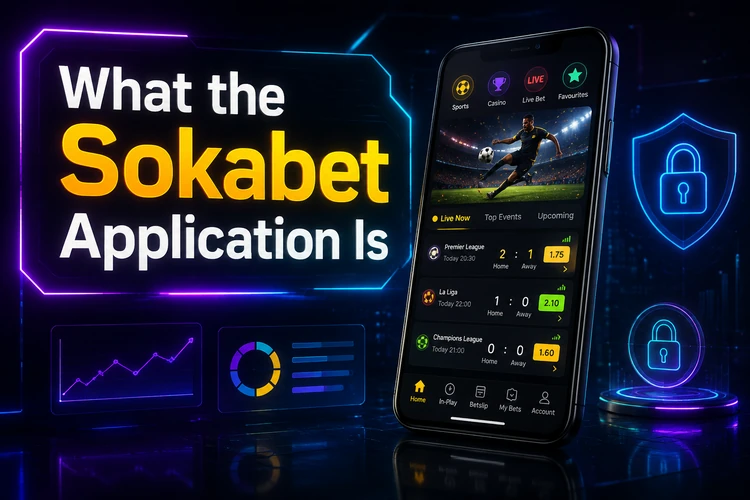
Compared with the mobile site, the installed version removes the address bar and repeated sign-in step. It may also show notifications about events you follow, depending on the device and the permissions you allow. The browser version needs no storage space and updates itself, so it can be a better choice for occasional use. Whichever option you choose, check the same account balance and bet details before confirming a transaction.
Sokabet App Download
Take the installation file only from the official website. Android does not distribute this category of application through the Play Store in every market, which is why operators may host the file themselves. Copies also circulate through forums, file-sharing pages and chat groups. They may be old or modified packages, and a modified package handling login details presents a genuine security risk.
Before tapping download, check that you are on the operator's own domain and that the connection uses HTTPS. Look at the version information shown on the download page and compare it with the file details after it has been saved. If the information does not match, delete the file and begin again. When the genuine address is uncertain, reach the download section from the site's main page instead of using a forwarded link.
Installing the Sokabet APK on Android
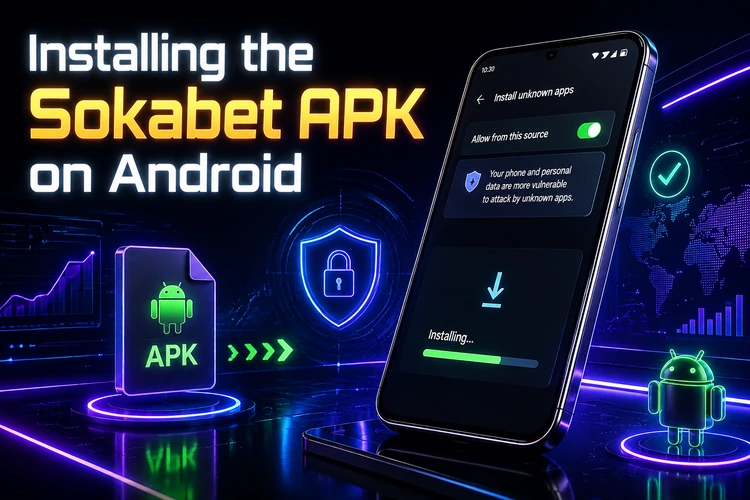
Android blocks installations from outside the store by default. You are not disabling that protection permanently; you are granting one browser or file manager permission to install an unknown app. The sequence normally takes only a few minutes.
- Step 1: Open the download section on the official site and save the installation file. Most phones place it in the Downloads folder.
- Step 2: Open the file manager, find the file and confirm that its name and version match the information on the page.
- Step 3: Tap the file. When Android warns that installations from this source are blocked, open Settings from that prompt and allow your browser or file manager to install unknown apps.
- Step 4: Return to the file and tap Install. Review the permissions requested by the installer before finishing.
- Step 5: Launch the app and sign in with your existing details, or create an account if this is your first use.
A download that stops halfway can produce a corrupt file and a parse error. Delete the partial file and try again on a stable connection. Low storage can also stop installation; keeping about 100 MB free gives the package room to download and unpack. If Android reports a conflict with an existing build, remove the older version only after confirming that you know your login details. For a sign-in problem, use the password recovery option on the login page rather than repeatedly reinstalling.
Version Comparison and iPhone Access
APK is Android's installation format. Its advantage is direct control over the file and version; its drawback is that you must verify the source yourself and remember to check for later updates.
| Method | Device | What to expect |
|---|---|---|
| Installed Android app | Android smartphone or tablet | Home-screen icon, possible notifications and manual updates |
| Mobile site in a browser | Any phone, including iPhone | No installation and access through the current browser page |
| Home-screen shortcut | iPhone and iPad | An icon that opens the mobile site from the home screen |
On iPhone, availability of a dedicated download depends on what the operator currently publishes for iOS. Check the official download section rather than trusting a third-party claim. Safari can provide access to betting, deposits, withdrawals and account settings; its Share menu can add the mobile site to the home screen. This shortcut does not necessarily mean that a separate native iOS application has been installed.
Performance, Features and Security
Inside the app, you can register, log in, browse pre-match and live markets, place single and multiple bets, follow results, check bet history, deposit and request withdrawals, and adjust account settings. Live betting refreshes odds continuously. On a weak signal, odds may change between tapping and confirming, so re-check the coupon and stake before accepting.
Most Android phones from the last several years should handle a lightweight client, although older devices with limited RAM may work better after background apps are closed. Keep enough free storage for updates and restart the phone if the app becomes unresponsive. On mobile data, a stable connection matters more than peak speed; switching between a weak Wi-Fi signal and mobile data during confirmation can interrupt a session.
Keep the application current by checking the same official source used for the original installation. Do not accept an unexpected file sent by message, and do not install a package that requests unrelated permissions. Protect the account with a unique password, a screen lock and care on public Wi-Fi. Never share verification codes. Read the responsible gambling guidance if betting stops feeling like entertainment. Betting is for adults aged 18+ only.
FAQ
Use the download section on the official website only. Files shared through forums, messaging groups or third-party mirrors may be outdated or modified. Check the connection and the file details before saving it.
Yes, if the published installation file is compatible with your Android version. Download it from the official source, allow installation for the relevant browser or file manager, and review the requested permissions.
Check that the file finished downloading, that the phone has free storage, and that the installation permission is enabled for the app opening the file. A damaged or incomplete file should be deleted and downloaded again from the official source.
That depends on what the operator currently makes available for iOS. Check the official download information. If no native app is offered, use the mobile site in Safari and add a home-screen shortcut if useful.
Return to the official download section and compare the available version with the one installed on your phone. Download a newer file only when the source is genuine, then install it according to the Android prompts.
Yes. The installed client and browser version use the same account details when they are connected to the same service. Confirm the account name and balance after signing in, and use the login recovery process if you cannot remember the password.